
How Can We Help?
Notifications
Notifications keep you up to date with important activity in your business and updates from your organization—so you always know what needs your attention.
Where to Find Your Notifications
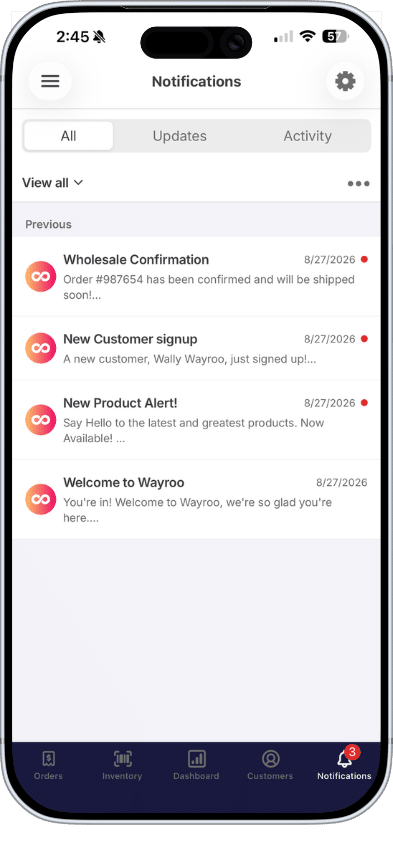
Look for the Notifications tab (bell icon) in Wayroo’s bottom navigation. When you have unread activity, a badge appears on the tab showing how many new notifications are waiting for you.
Tap the tab to open your notification list, where each alert is shown with preview and a timestamp.
Types of Notifications
Notifications in Wayroo are organized into two categories based on where they originate:
Updates
Updates include notifications sent from your organization’s back office. These may include organization announcements, communications from your home office, downline activity (such as new team members or renewals), customer-related alerts, and other information your organization chooses to share.
Activity
Activity includes notifications generated by actions that occur within your Wayroo experience, such as your Wayroo Online Store or app. Examples include paid orders, new customer registrations, and other activity related to your business.
Note: The Updates you receive depend on your organization’s communication strategy and the features enabled for your account. Activity notifications vary based on how you use Wayroo and the features available to you.